单引号可以直接把包括的特殊字符进行输出。
- 使用
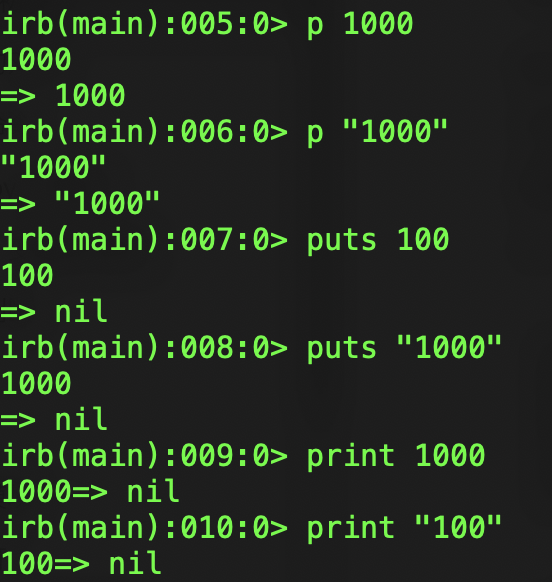
p进行输出,特殊字符不会被转义。
print "表面积 = #{area}\n"
100.times do
  print "All work and no play makes Jack a dull boy.\n"
endsym = :foo # 表示符号“:foo”
sym2 = :"foo" # 意思同上> irb --simple-prompt
>> sym = :foo
=> :foo
>> sym.to_s # 将符号转换为字符串
=> "foo"
>> "foo".to_sym # 将字符串转换为符号
=> :fooaddress = {:name => "高桥", :pinyin => "gaoqiao", :postal => "1234567"}将符号当作键来使用时,程序还可以像下面这么写:
address = {name: "高桥", pinyin: "gaoqiao", postal: "1234567"}puts "首个参数: #{ARGV[0]}"
puts "第2 个参数: #{ARGV[1]}"
puts "第3 个参数: #{ARGV[2]}"> ruby print_argv.rb 1st 2nd 3rd
首个参数: 1st
第 2 个参数: 2nd
第 3 个参数: 3rd以英文字母或者 _ 开头。
全大写
以 $ 开头。
以 @ 开头。
以 @@ 开头
- 变量前加上*,表示 Ruby 会将未分配的值封装为数组赋值给该变量。
a, b, *c = 1, 2, 3, 4, 5
p [a, b, c]    #=> [1, 2, [3, 4, 5]]
a, * b, c = 1, 2, 3, 4, 5
p [a, b, c]    #-> [1, [2, 3, 4], 5]
The =~ operator matches the regular expression against a string, and it returns either the offset of the match from the string if it is found, otherwise nil.