-
-
Notifications
You must be signed in to change notification settings - Fork 1.5k
en use function calling
Function calling aims to provide large language models with the ability to invoke external tools, enabling various Agentic functionalities.
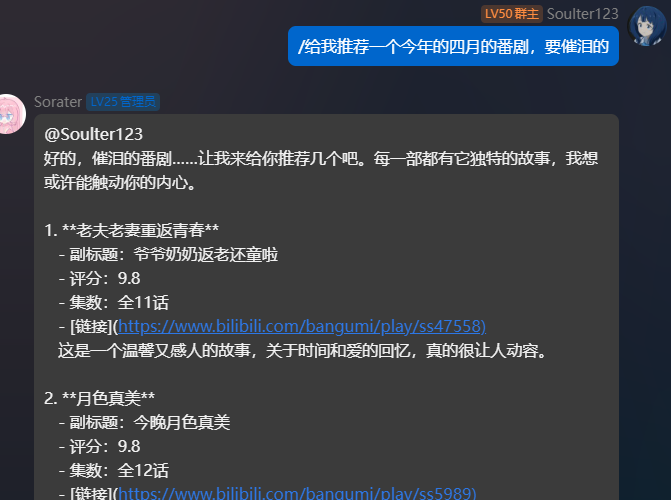
For example, when you ask the LLM: "Help me search for information about cats", the model will call external search tools, such as search engines, and return the search results.
Here is the revised text, updated to reflect your new content while maintaining a formal documentation tone:
Currently, supported models include but are not limited to:
- GPT-5.x series
- Gemini 3.x series
- Claude 4.x series
- DeepSeek v3.2 (deepseek-chat)
- Qwen 3.x series
Mainstream models released after 2025 typically support function calling.
Commonly unsupported models include older models such as DeepSeek-R1 and Gemini 2.0 thinking-type models.
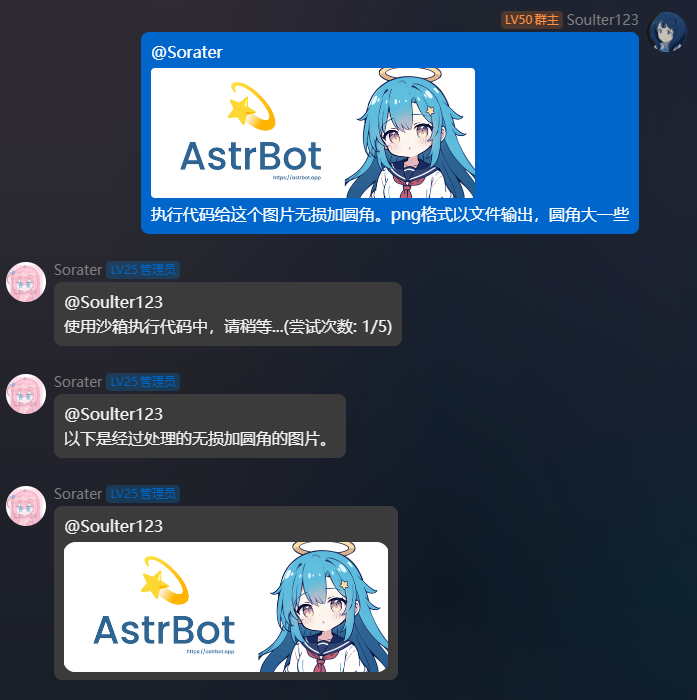
In AstrBot, web search, todo reminders, and code interpreter tools are provided by default. Many plugins, such as:
- astrbot_plugin_cloudmusic
- astrbot_plugin_bilibili
- ...
In addition to providing traditional command invocation, also offer function calling capabilities.
Related commands:
-
/tool ls- View the list of available tools -
/tool on- Enable a specific tool -
/tool off- Disable a specific tool -
/tool off_all- Disable all tools
Some models may not support function calling and will return errors such as tool call is not supported, function calling is not supported, tool use is not supported, etc. In most cases, AstrBot can detect these errors and automatically remove function calling tools for you. If you find that a model doesn't support function calling, you can also use the /tool off_all command to disable all tools and try again, or switch to a model that supports function calling.
Below are some common tool calling demos:
Please refer to this documentation: AstrBot - MCP.
- 首页
- 文档入口
- Top Level
- deploy
- dev
- ospp
- others
- platform
- 接入 Lagrange
- 使用 NapCat
- others
- 接入钉钉 DingTalk
- 接入 Discord
- 接入 Kook
- 接入飞书
- 接入 LINE
- 接入 Matrix
- 接入 Misskey 平台
- 接入 QQ 官方机器人平台
- 通过 QQ官方机器人 接入 QQ (Webhook)
- 通过 QQ官方机器人 接入 QQ (Websockets)
- 接入 LLTwoBot (Satori)
- 接入 server-satori (基于 Koishi)
- 接入 Slack
- 接入消息平台
- 接入 Telegram
- 接入 VoceChat
- AstrBot 接入企业微信
- 接入企业微信智能机器人平台
- AstrBot 接入微信公众平台
- providers
- use
- Home
- Docs Entry
- Top Level
- config
- deploy
- Deploy AstrBot on 1Panel
- Deploy AstrBot on BT Panel
- Deploy AstrBot on CasaOS
- Deploy AstrBot from Source Code
- Community-Provided Deployment Methods
- Deploy via Compshare
- Deploy AstrBot with Docker
- Deploy AstrBot with Kubernetes
- Deploy AstrBot with AstrBot Launcher
- Other Deployments
- Package Manager Deployment (uv)
- Installation via System Package Manager
- Preface
- dev
- ospp
- others
- platform
- Connect to Lagrange
- Using NapCat
- others
- Connect to DingTalk
- Connecting to Discord
- Connect to KOOK
- Connecting to Lark
- Connecting to LINE
- Connecting to Matrix
- Connecting to Misskey Platform
- Connect QQ Official Bot
- Connect QQ via QQ Official Bot (Webhook)
- Connect QQ via QQ Official Bot (Websockets)
- Connect LLTwoBot (Satori)
- Connect server-satori (Koishi)
- Connecting to Slack
- Messaging Platforms
- Connecting to Telegram
- Connect to VoceChat
- Connect AstrBot to WeCom
- Connect to WeCom AI Bot Platform
- Connect AstrBot to WeChat Official Account Platform
- providers
- 接入 302.AI
- Agent Runners
- Built-in Agent Runner
- Connect to Coze
- Connect to Alibaba Cloud Bailian Application
- Connect to DeerFlow
- Connect to Dify
- Connect AIHubMix
- coze
- dashscope
- dify
- 大语言模型提供商
- NewAPI
- 接入 PPIO 派欧云
- 接入 LM Studio 使用 DeepSeek-R1 等模型
- Integrating Ollama
- Connecting to SiliconFlow
- Connecting Model Services
- Connecting to TokenPony
- use
- Agent Runner
- Agent Sandbox Environment ⛵️
- astrbot sandbox
- Docker-based Code Interpreter
- Built-in Commands
- Context Compression
- Custom Rules
- Function Calling
- AstrBot Knowledge Base
- MCP
- AstrBot Star
- Proactive Capabilities
- Anthropic Skills
- Agent Handoff and SubAgent
- Unified Webhook Mode
- Web Search
- Admin Panel