OpenSigWeave is a centralized, self-hosted email signature manager designed to bridge the gap between Authentik (Identity Management) and Rspamd / Mailcow (Mail Filtering).
Instead of forcing users to configure signatures in their individual mail clients (Outlook, Apple Mail, mobile devices, etc.), OpenSigWeave injects rich HTML signatures at the gateway level. It dynamically pulls live user attributes (Phone, Title, Name) from Authentik and appends them to outgoing emails seamlessly.
- Gateway-Level Injection: Signatures are applied by the mail server, meaning they work identically across all devices and mail clients.
- Authentik SSO Integration: Login is gated strictly via Authentik OIDC. Live attributes (name, phone number, email, title and domain) are polled instantly during mail transit.
- Rich Visual Editor: A custom UI built with Tailwind CSS, Alpine.js, and Quill.js allows users and admins to design signatures visually or via raw HTML.
- Advanced HTML Import: Sanitize and import complex layouts from external generators with an intelligent visual editor lock that protects table-based signatures from accidental formatting loss.
- Domain-Level Master Templates: Enforce a corporate signature standard across an entire domain.
- User Overrides: Allow specific users to customize their signatures, or administratively lock them out.
- Intelligent Reply-Chain Detection: An experimental Lua engine detects when an email is a reply and cleanly injects the signature above the quoted history.
- Whitespace Normalization (The "Peeler"): Aggressively strips rogue HTML spaces, empty paragraphs, and quoted-printable soft-breaks from user emails to ensure perfectly crisp spacing around injected signatures.
- Mobile Signature Assassin: Automatically detects and strips default mobile sign-offs (e.g., "Sent from my iPhone" or "Get Outlook for iOS") before applying the professional corporate signature.
- The "Kill Switch": Easily disable signatures entirely for specific service accounts (e.g.,
noreply@orbilling@). - Branding: Easy white label branding options for logo, title and title color via simple, persistent files.
User UI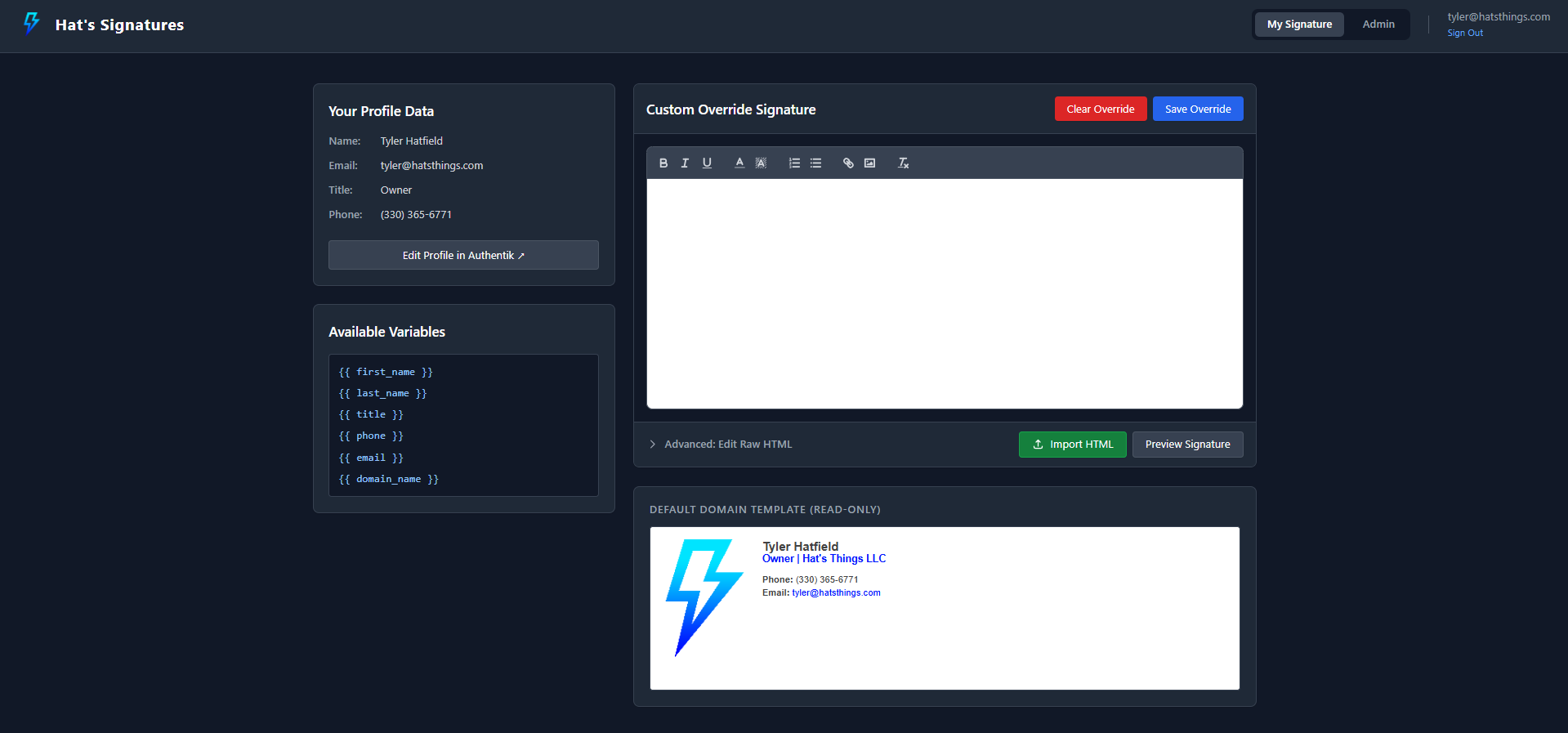
|
Admin UI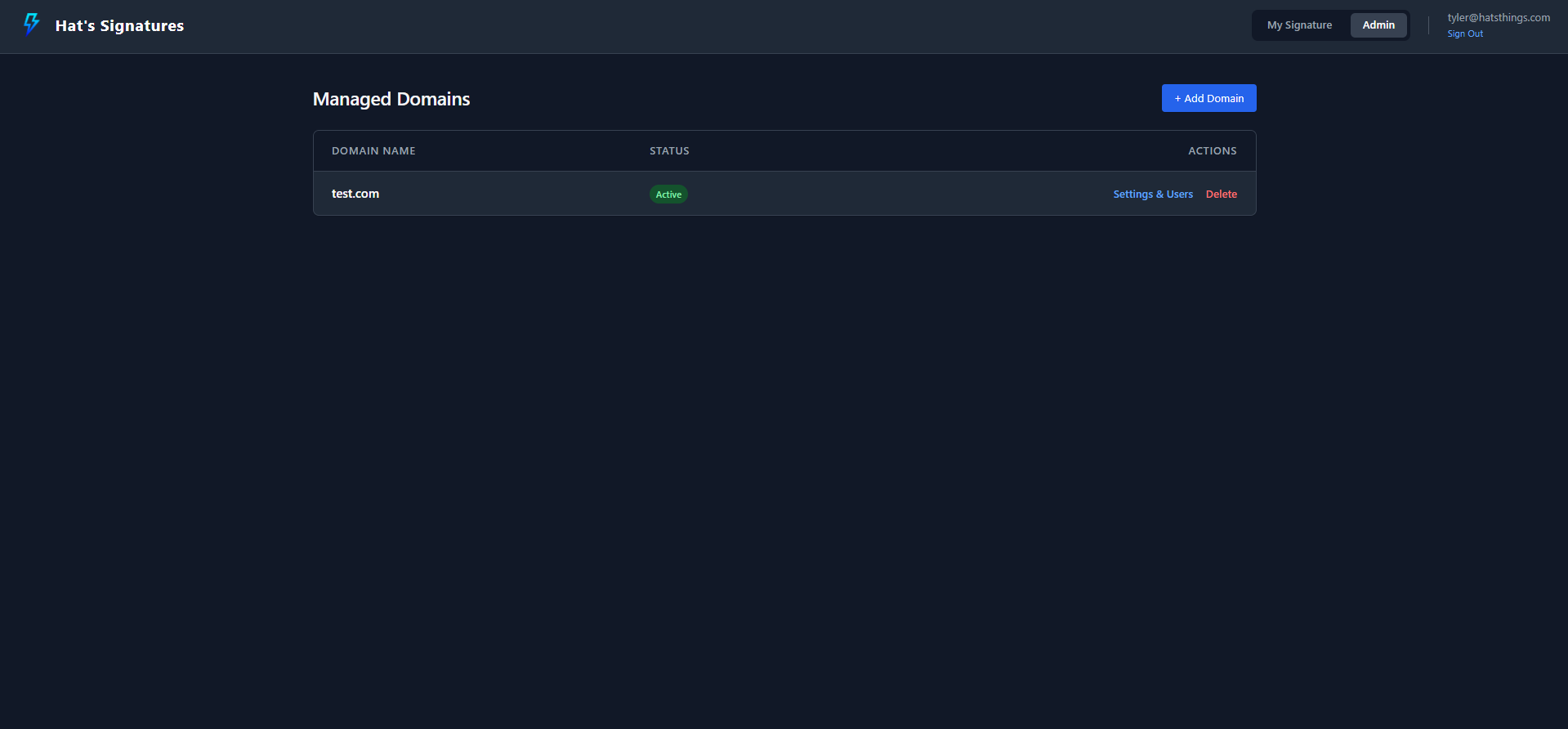
|
Advanced HTML Import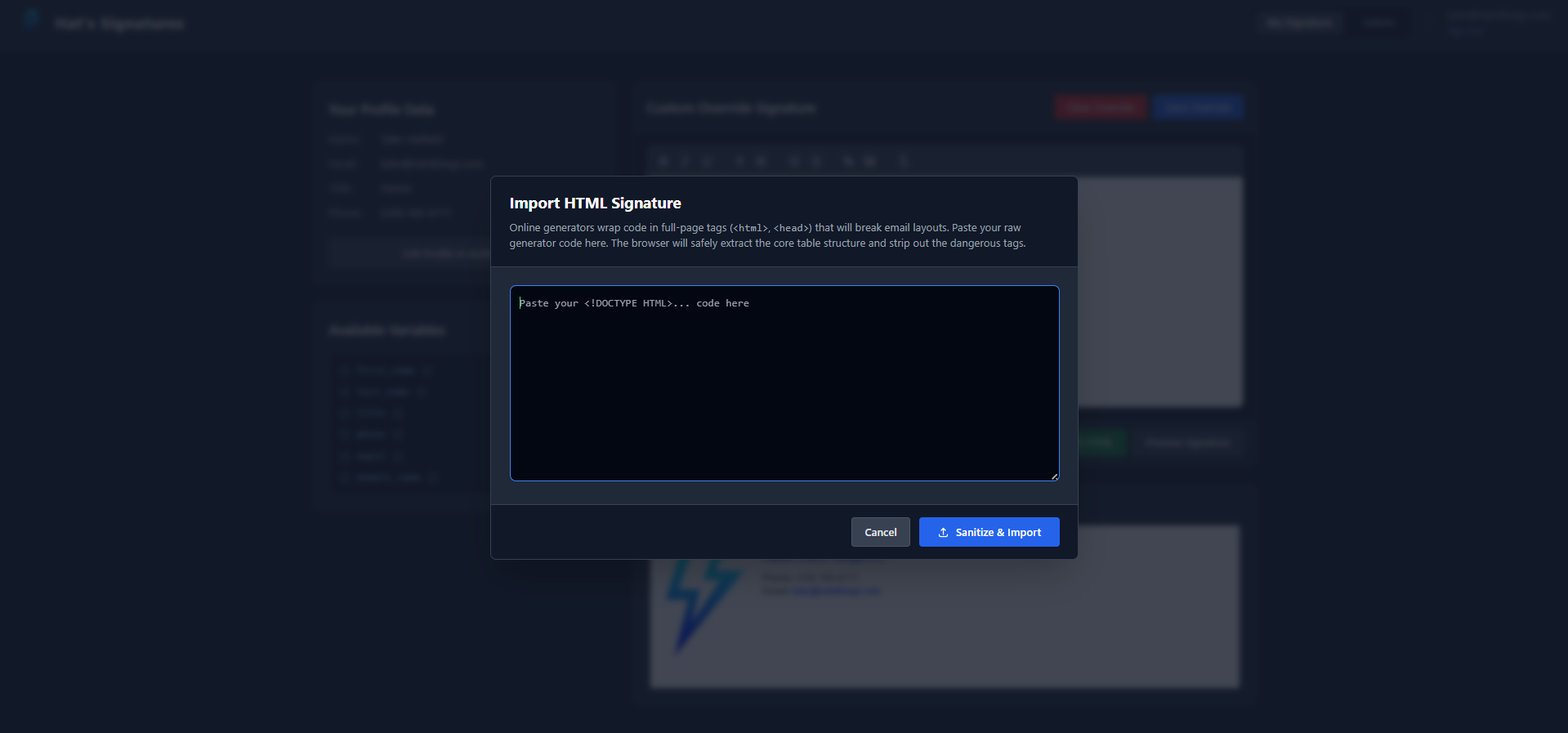
|
Domain Settings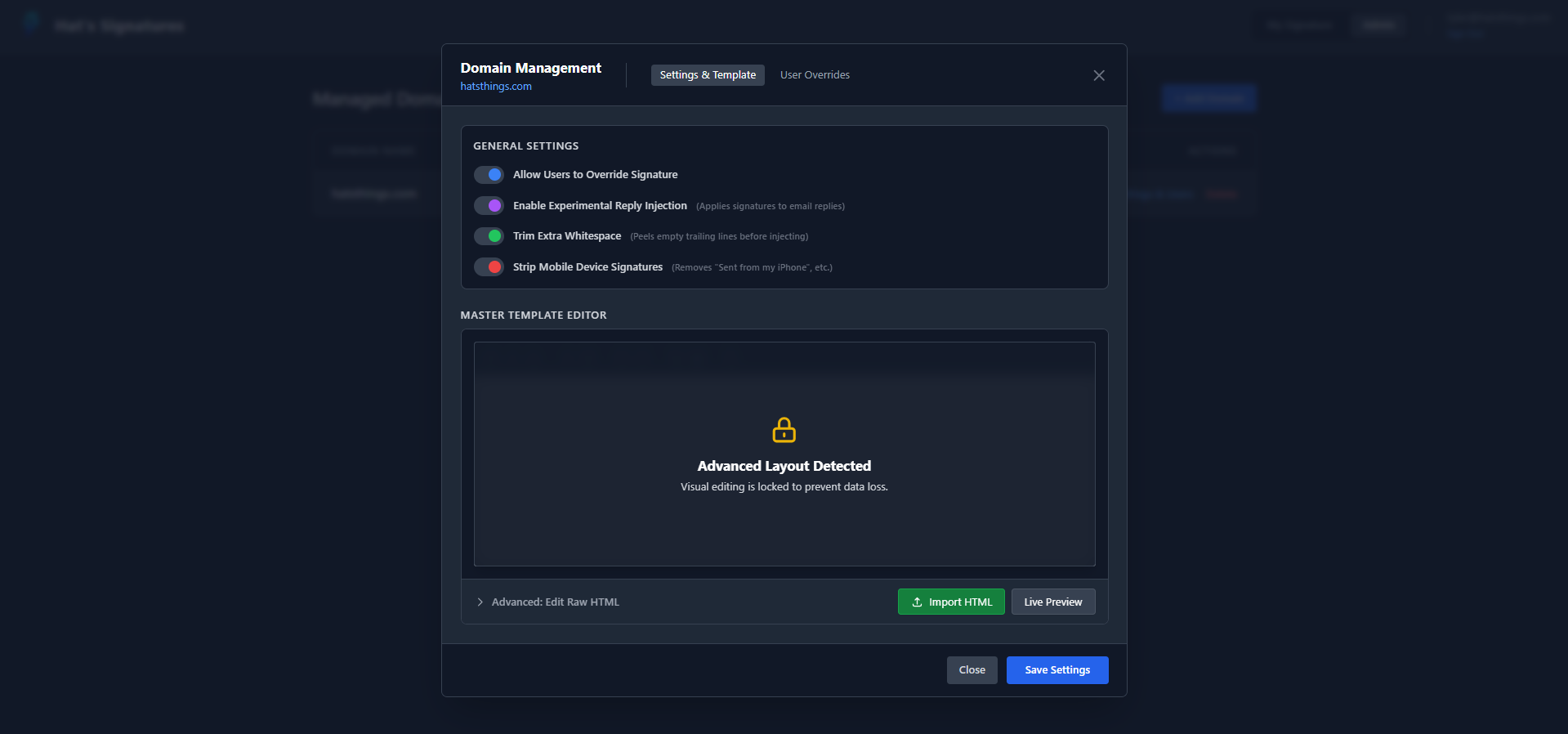
|
User Overrides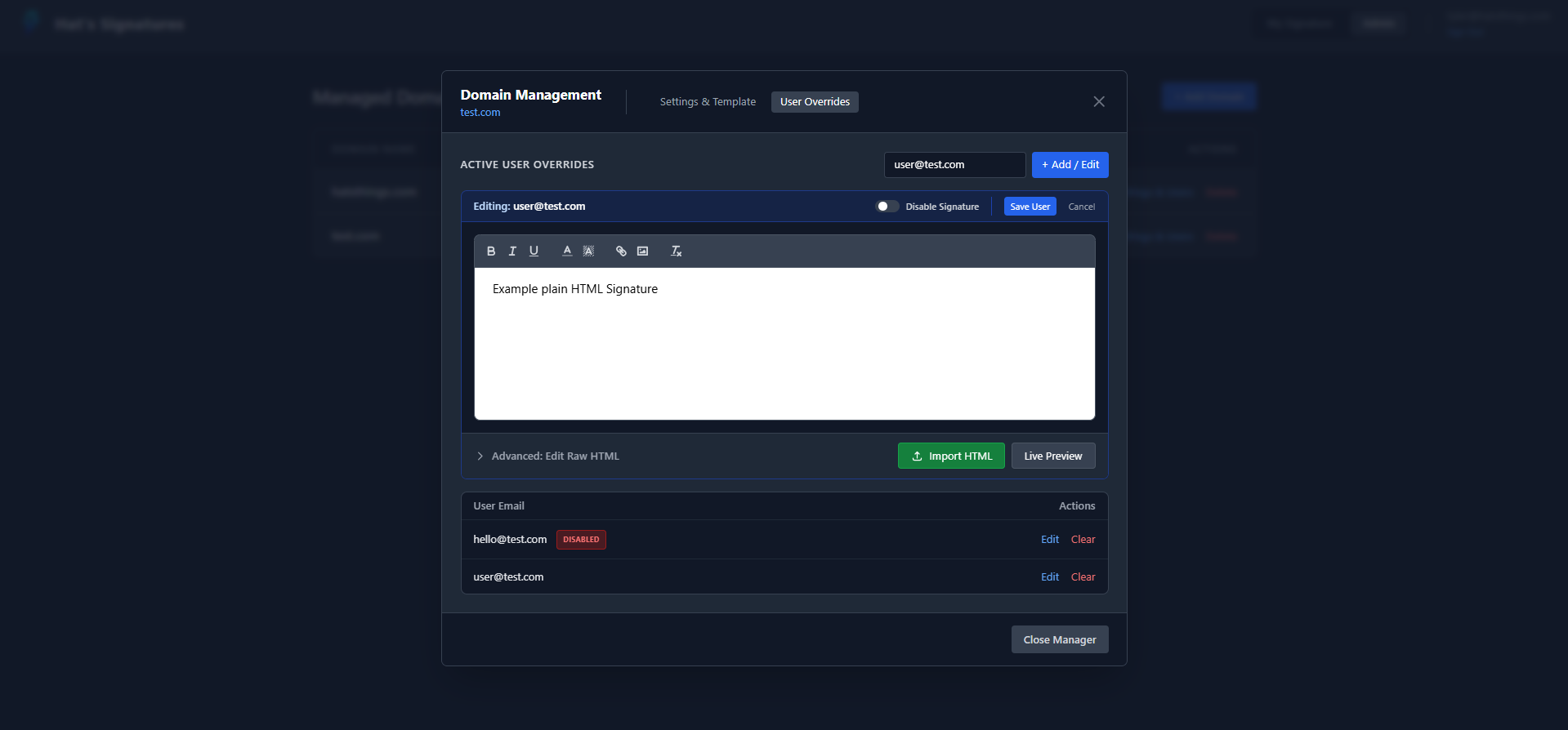
|
New, outbound emails are universally supported across all clients.
However, because there is no universal web standard for how email clients format reply chains, OpenSigWeave's Experimental Reply Injection uses specific Regex patterns to find the exact HTML line where the "quoted history" begins.
The Lua engine officially supports injecting signatures cleanly into replies sent from the following clients:
- Microsoft Outlook: Classic Desktop, New Desktop, OWA (Web), and iOS/Android Mobile Apps.
- Apple Mail: iOS, iPadOS, and macOS native mail apps.
- Gmail: Web, iOS, and Android Mobile Apps.
- Thunderbird: Desktop and Mobile.
- Yahoo Mail & Open-Xchange: Web clients.
- Self-Hosted Webmail: Horde, Roundcube, SOGo (Mailcow default), and Nextcloud Mail.
Note: If a user sends a reply from an unrecognized client, the Lua engine acts defensively. It will safely abort the inline injection and append the signature to the absolute bottom of the email rather than risk placing it in the middle of a sentence.
- External Builders: For the best results with multi-column layouts, it's recommended to design your signature in an online generator and use the Sanitize & Import feature.
- Variable Injection: When using external builders, simply type {{ first_name }}, {{ title }}, etc., directly into their form fields. When you import the HTML into OpenSigWeave, these will become dynamic placeholders.
- Table Support: If you paste a table into the "Advanced HTML" editor, the Visual Editor will lock to protect your layout. To return to the Visual Editor, you must clear the signature or remove the
<table>tags.
OpenSigWeave is a FastAPI application that utilizes an SQLite database.
- Python 3.10+
- An active Authentik deployment
- An active Rspamd/Mailcow deployment
- A Reverse Proxy (Nginx, Traefik, Caddy, etc.) for SSL termination
- Clone the repository to your application server.
git clone https://Github.com/TylerHats/OpenSigWeave.git cd opensigweave - Create and activate a Python virtual environment.
python3 -m venv venv source venv/bin/activate - Install the required Python modules.
pip install -r requirements.txt
- Prepare your environment variables.
cp .env.example .env
nano .env
- Prepare your branding (Optional).
cp branding/logo.example.png branding/logo.png
cp branding/settings.example.json branding/settings.json
- Start the application to verify it works. (See Step 7 for running as a permanent service).
uvicorn main:app --host 0.0.0.0 --port 8085
To keep OpenSigWeave running permanently and ensure it starts automatically on server reboots, create a systemd service.
-
Create a new service file:
sudo nano /etc/systemd/system/opensigweave.service
-
Paste the following configuration. (Note: Adjust the
WorkingDirectoryandEnvironmentpaths if you cloned the repository to a location other than/etc/OpenSigWeave).[Unit] Description=OpenSigWeave FastAPI Backend After=network.target [Service] User=root Group=root WorkingDirectory=/etc/OpenSigWeave Environment="PATH=/etc/OpenSigWeave/venv/bin" # The proxy-headers flag ensures IPs are read correctly behind a reverse proxy ExecStart=/etc/OpenSigWeave/venv/bin/uvicorn main:app --host 127.0.0.1 --port 8085 --proxy-headers --forwarded-allow-ips="*" Restart=always RestartSec=3 [Install] WantedBy=multi-user.target
-
Enable and start the service:
sudo systemctl daemon-reload
sudo systemctl enable opensigweave
sudo systemctl start opensigweave
OpenSigWeave does not handle SSL termination natively. It runs as a plain HTTP FastAPI application and must be placed behind a reverse proxy to secure the SSO callbacks and administrative sessions via HTTPS.
Here is a standard configuration example for Nginx:
server {
    listen 443 ssl;
    server_name signature.yourdomain.com;

    # SSL Certificates (Managed by Certbot, etc.)
    ssl_certificate /etc/letsencrypt/live/signature.yourdomain.com/fullchain.pem;
    ssl_certificate_key /etc/letsencrypt/live/signature.yourdomain.com/privkey.pem;

    location / {
        proxy_pass [http://127.0.0.1:8085](http://127.0.0.1:8085);
        proxy_set_header Host $host;
        proxy_set_header X-Real-IP $remote_addr;
        proxy_set_header X-Forwarded-For $proxy_add_x_forwarded_for;
        proxy_set_header X-Forwarded-Proto $scheme;
    }
}You will need two configurations in Authentik:
- OIDC Provider: Create a standard OIDC Application/Provider for user logins. Ensure the scopes include
openid,email, andprofile. - Service Account API Token: Create an App Token (Intent: API Token) bound to an administrative account. This is required for the Rspamd engine to query user attributes securely in the background.
Note on SSO Compatibility: OpenSigWeave was built and tested specifically for Authentik and Mailcow. While the OIDC web login is standard and adaptable, the backend signature engine strictly relies on Authentik's REST API (/api/v3/core/users/) to poll live user attributes during mail transit. Adapting this for Authelia, Keycloak, or Entra ID will require modifying the API request logic inside the get_rspamd_signature route in main.py.
The web app is only half the puzzle. To actually inject signatures, you must deploy the provided Lua script into your Mailcow/Rspamd instance.
-
Copy the Script: Transfer the
opensigweave.luascript from this repository into your Mailcow server's custom Lua directory:/opt/mailcow-dockerized/data/conf/rspamd/lua/opensigweave.lua -
Configure the Lua Script: Open the Lua script and update the configuration block at the top with your OpenSigWeave API URL and the
ENGINE_API_KEYyou set in your.envfile. -
Enable the Plugin: Tell Rspamd to load the new plugin by pointing to the Lua file in your local configuration. Open
/opt/mailcow-dockerized/data/conf/rspamd/rspamd.conf.local(create it if it doesn't exist) and add:lua = "/etc/rspamd/lua/opensigweave.lua";
-
Restart Rspamd: Apply the changes by restarting the Mailcow Rspamd container.
docker compose restart rspamd-mailcow
- OpenSigWeave's API endpoint (
/api/signature/{email}) exposes employee metadata (Phone, Title, etc.) to successfully compile signatures. - This endpoint is strictly protected by the
X-Engine-Keyheader. Ensure yourENGINE_API_KEYis a long, cryptographically secure string, and never expose it to frontend clients.
- Bug reports and Feature Requests are always welcome! Where possible, patches and new updates will be pushed with responses directly on submitted issues for status, questions, etc.
- Pull requests are also welcome and will be reviewed as soon as possible for functionality, quality of code, and scope. If approved, changes will be included in the next update of OpenSigWeave.
OpenSigWeave's Rspamd injection engine (opensigweave.lua) heavily relies on the MIME-rebuild array logic originally developed by the Mailcow team for their internal MOO_FOOTER module.
A massive thank you to Mailcow / Servercow for their hard work. In compliance with their original work and to give back to the community, this entire project is proudly open-sourced under the GNU GPL v3.0 license.