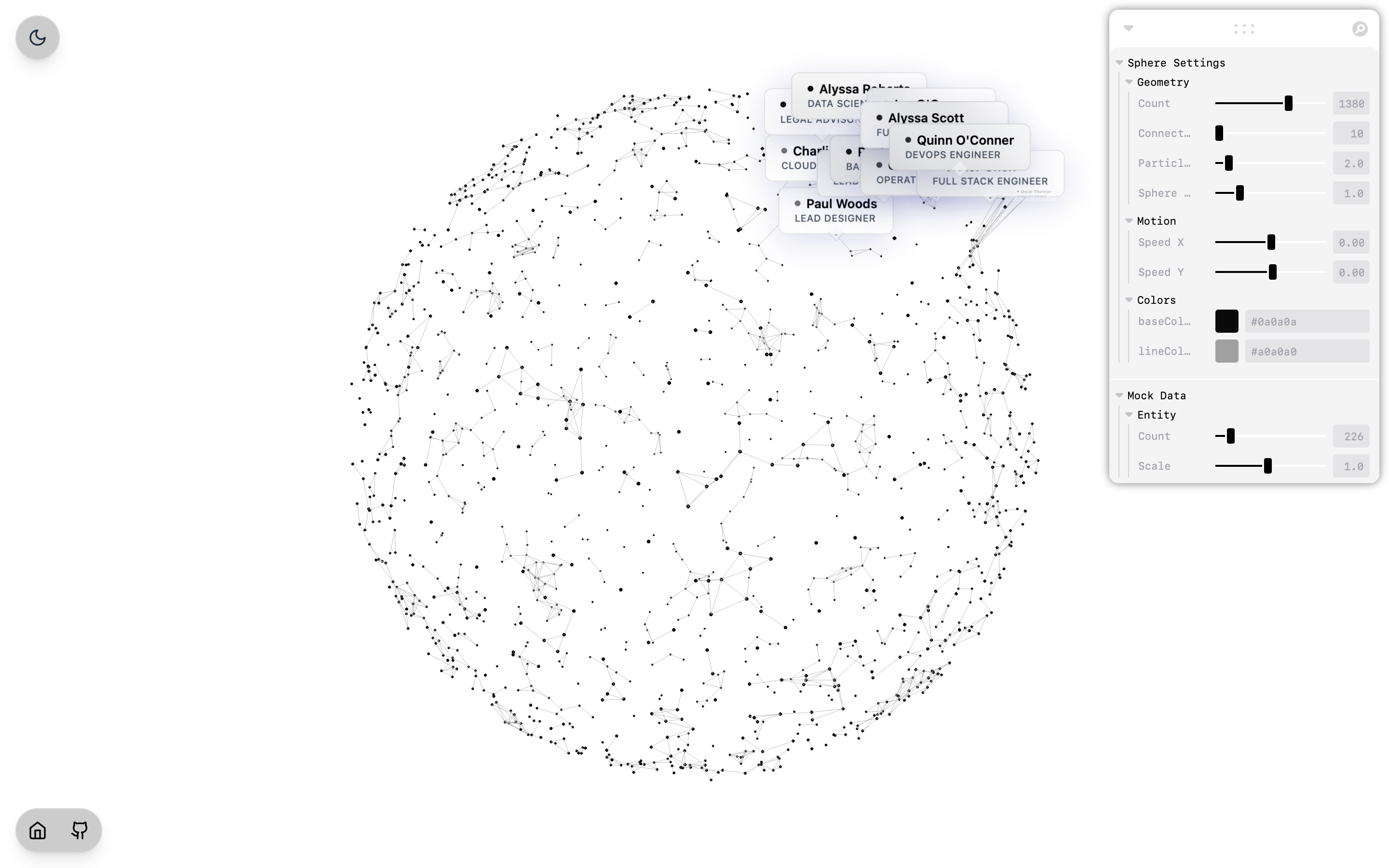
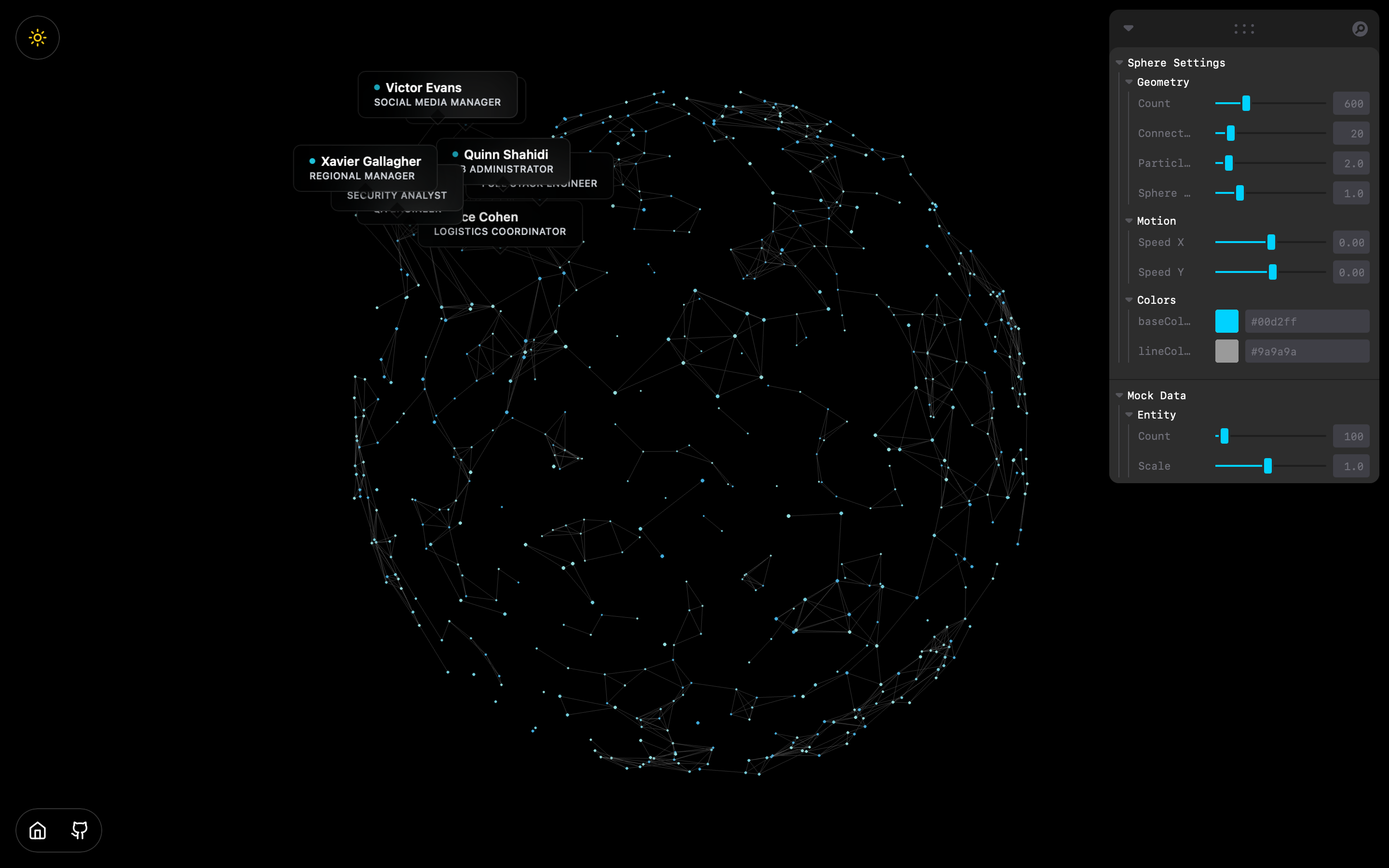
A stunning, highly scalable 3D particle sphere component. Each node in the sphere represents a structural connection or a unique data entity (e.g., team members, social graphs, or network nodes). Hovering over connected entities natively triggers a beautifully animated, glassmorphic data card tracking the specific node in true 3D space!
Live: https://zarox.is-a.dev/3sphere/
- Interactive Node Tracking: Physically rotating the sphere doesn't break hover effects; custom matrix projections ensure tooltips always lock precisely to their assigned moving particles.
- Glassmorphic UI Overlay: Data cards pop up cleanly using
framer-motionand@react-three/drei's HTML projections. - Leva GUI Integration: Instantly manipulate geometry (particle counts, connection limits), size scalars, colors, and continuous multi-axis rotation speeds in real-time.
- First-Class Theme Engine: Natively supports Light & Dark modes. Bi-directional tracking instantly passes Theme overrides down from
App.tsxdirectly into the WebGL renderer without dropping frames. - Dynamic Scale Guards: Structurally maps your JSON entities to local indices. If the particle count drops beneath your data pool length, intelligent bounds logic handles the slice safely!
Ensure you have a modern React or Vite environment running.
-
Clone & Install Dependencies:
npm install
-
Start the Development Server:
npm run dev
If you're copying ParticleSphere.tsx into your own project, ensure you have the required 3D and animation dependencies installed:
npm install three @react-three/fiber @react-three/drei framer-motion leva lucide-reactThe sphere naturally pulls from useMockData.ts. This structure dictates your dataset must follow an array of objects bearing at least a name and role string formatting (an id string is optionally recommended).
Replace the logic in useMockData.ts with your API hook, Zustand state, or a standard hardcoded array:
export interface Entity {
  id: string;
  name: string;
  role: string;
}

export function useMockData() {
  const customData: Entity[] = [
    { id: "01", name: "System Admin", role: "DevOps Engineer" },
    { id: "02", name: "Network Architect", role: "Infrastructure Manager" }
  ];

  return {
    entities: customData,
    json: JSON.stringify(customData, null, 2)
  };
}
The internal ParticleSphere gracefully accepts the entities array and handles random particle assignment and 3D indexing entirely under the hood.
You have programmatic, runtime control over how the component calculates physical bounds via the useControls GUI panel floating in the viewport.
count(Particles): The exact quantity of WebGLFloat32Arraynodes drawn to the buffer.connectDistance: Native WebGL line rendering indices; turning this up establishes significantly denser mesh networks between nearby nodes.sphereSize/particleSize: Global scale multipliers directly mapping to the mathematical origins in Local space.Entity Count: Precisely dictate exactly how many of your JSON/Mock Entities represent "hoverable" nodes on the sphere against the raw particle count!
Note: Custom Hex palettes manually applied inside the Leva UI map directly into the shader without rebuilding geometry instances—saving tons of GPU overhead!
- Fix Rotation Angle
- Add more features
GNU Affero General Public License v3.0